How Many Shutter Actuations Are Too Many When Buying a Used Camera?
The shutter count isn't the only factor, but it's the most quantifiable one. Here are the safe ranges, the risky ranges, and the real-world figures we see in the workshop.
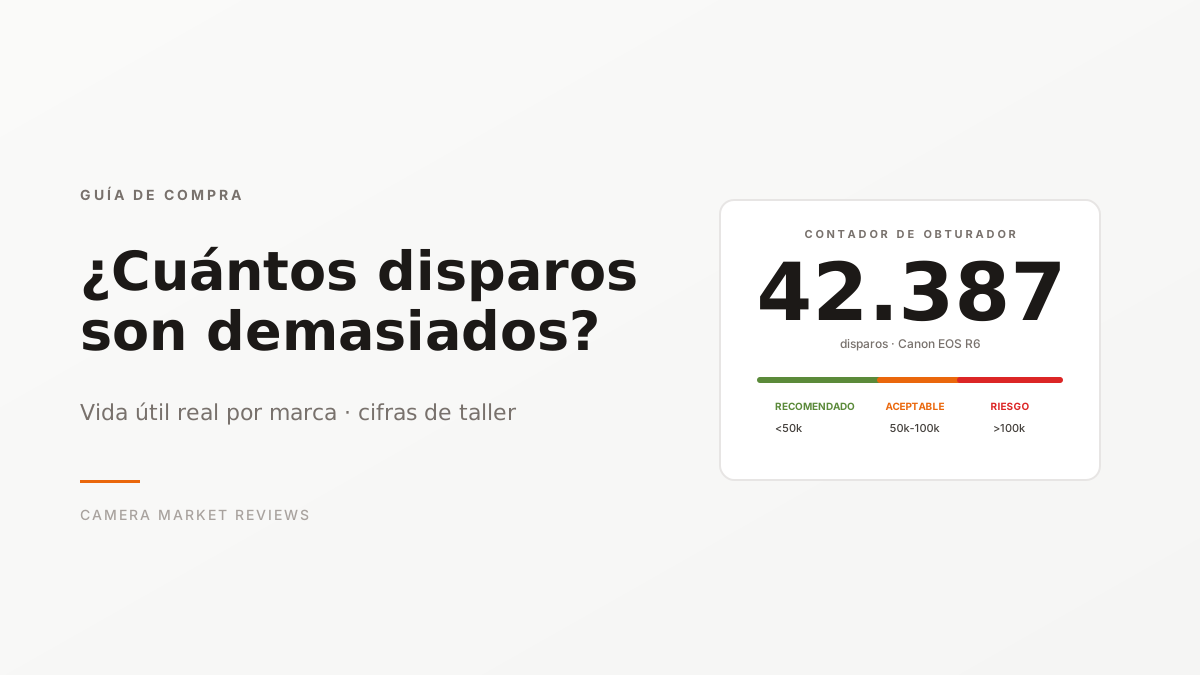
“How many shutter actuations does this camera have?” is the first question any buyer asks — and rightly so. But the correct answer depends on the model, the shutter type, and the usage history. Let’s cut through the marketing numbers and give you the real figures.
What the Manufacturer Says vs. What Happens in the Workshop
Each manufacturer publishes a declared shutter life, typically expressed as a “shutter rating” in number of actuations. These figures come from internal lab tests:
| Category | Typical Manufacturer Rating |
|---|---|
| Entry-level (Canon Rebel, Nikon D3000, Sony A6000) | 100,000 |
| Mid-range (Canon 80D, Nikon D7500, Fuji X-T3) | 150,000 |
| Upper mid-range (Canon 6D Mark II, Sony A7 III, Nikon Z6) | 200,000 |
| Professional (Canon 5D Mark IV, Nikon D850, Sony A9) | 300,000-400,000 |
| Sports professional (Canon 1DX, Nikon D6) | 500,000 |
These figures are a guideline, not a hard limit. At Camera Market, we’ve seen cameras with double the rating working perfectly, and cameras with half the rating showing issues. Real-world reliability depends on:
- Intensive burst use vs. spaced-out shots — a shutter with 100,000 actuations in 10fps burst mode accumulates more stress than the same number in single shots.
- Maintenance — cleaning and official servicing every 5 years delays wear.
- Environment — humidity, dust, and temperature changes accelerate curtain wear.
Maximum Shutter Counts We Recommend by Model
These are the ranges where we’re comfortable selling a unit without aggressively discounting the price, based on real-world figures we see:
| Model | Recommended Up To | Acceptable Up To | Risk If Exceeds |
|---|---|---|---|
| Canon EOS R6 / R6 Mark II | 50,000 | 100,000 | 150,000 |
| Canon EOS R5 | 80,000 | 150,000 | 250,000 |
| Canon EOS R | 60,000 | 100,000 | 150,000 |
| Sony A7 III | 60,000 | 120,000 | 200,000 |
| Sony A7 IV | 50,000 | 100,000 | 150,000 |
| Sony A7R IV/V | 50,000 | 100,000 | 150,000 |
| Sony A7C | 40,000 | 80,000 | 120,000 |
| Fujifilm X-T3 | 80,000 | 150,000 | 250,000 |
| Fujifilm X-T4/X-T5 | 60,000 | 120,000 | 180,000 |
| Fujifilm X-H2/X-H2S | 100,000 | 180,000 | 280,000 |
| Nikon Z6 II / Z7 II | 60,000 | 120,000 | 200,000 |
| Panasonic Lumix S5 | 80,000 | 150,000 | 250,000 |
| Olympus OM-1 / OM-5 | 100,000 | 200,000 | 350,000 |
How to read this table:
- Recommended: units in this range sell at the “standard” market price.
- Acceptable: we discount 5-10% off the standard price. Still a good buy.
- Risk: we discount 15-25%. The camera works, but we recommend budgeting for a shutter module replacement (~€250-400) in the medium term.
What About Mirrorless Cameras with Electronic Shutters?
Modern mirrorless cameras can use an electronic shutter (completely silent, no mechanical wear) in certain modes. The Sony A1, Z9, R5/R6 II, X-H2S, and A9 use the electronic shutter by default in many modes.
This changes the math:
- If the camera has mostly lived in electronic mode, the mechanical counter barely updates even if real-world use is very high.
- If the camera has mostly lived in mechanical mode (weddings, portraits), the counter reflects actual use.
That’s why at Camera Market we ask the original seller about the approximate usage pattern. Failing that, we check the ratio between total actuations and silent mode actuations (some bodies store this in EXIF or internal system data).
Signs of Shutter Fatigue (Regardless of Count)
Regardless of the number:
- Abnormal noise: any new sound — a loud metallic click, extra vibration at the end of the stroke — is a sign of curtain wear.
- Intermittent overexposure/underexposure at fast speeds (1/2000 and above): the curtain isn’t closing in time, leaving lighter or darker bands.
- Partial frames: part of the image appears black due to the curtain blocking.
- Camera errors like “Err 99” on Canon, “F0” on Nikon, “Camera error” on Sony during normal shooting.
If a used unit shows any of these symptoms, don’t buy it — regardless of the shutter count. Repair costs range from €200 (mid-range) to €600 (professional full-frame).
How to Verify the Real Shutter Count
The seller declares a figure. How do you check it?
- Canon DSLR: directly in the camera from the service menu (each model is different) or via software like EOSinfo, ShutterCount (Mac).
- Canon mirrorless (R series): the official Canon Camera Connect app reads it on some models, or external software.
- Nikon (all): download any JPEG taken with the camera and read it with ExifTool — the
ShutterCountfield is in the metadata. - Sony: ExifTool works on almost all models. Also free websites like CameraShutterCount.com.
- Fujifilm: ExifTool on X-T3 and later. For earlier models, you need the service menu.
- Pentax/Olympus: internal service menu or ExifTool depending on the model.
At Camera Market, we do this before listing every camera and publish the real result on the product page. If you’re buying from another store or private seller, always ask for it — and if they say “I don’t know” or “it can’t be read,” treat it as a red flag.
The Bottom Line
Buying a camera with a high shutter count isn’t a bad deal if:
- The price reflects the wear (typically -20-30% compared to a unit in the recommended range).
- You’re willing to budget for a shutter replacement in 2-3 years of use (~€300).
- The camera is for a specific project, not as a long-term backup body.
Buying a camera with a high shutter count is a bad deal if:
- The price is only slightly lower than units with low use.
- You don’t have a budget for a potential repair.
- You want it as your only camera for 5+ years.
At Camera Market, we classify the figures as described above, and the price reflects the position. Buying a high-shutter-count camera at a good price here is documented and declared. Your decision is informed, not speculative.
Read also: the technical verification process in the workshop →